Your week's plan and your log, in one calm place.
Open Training and see what today holds: a run, a gym session or a rest day, with the plan on one side and your log on the other. For iPhone, with Apple Watch, a widget and Siri.
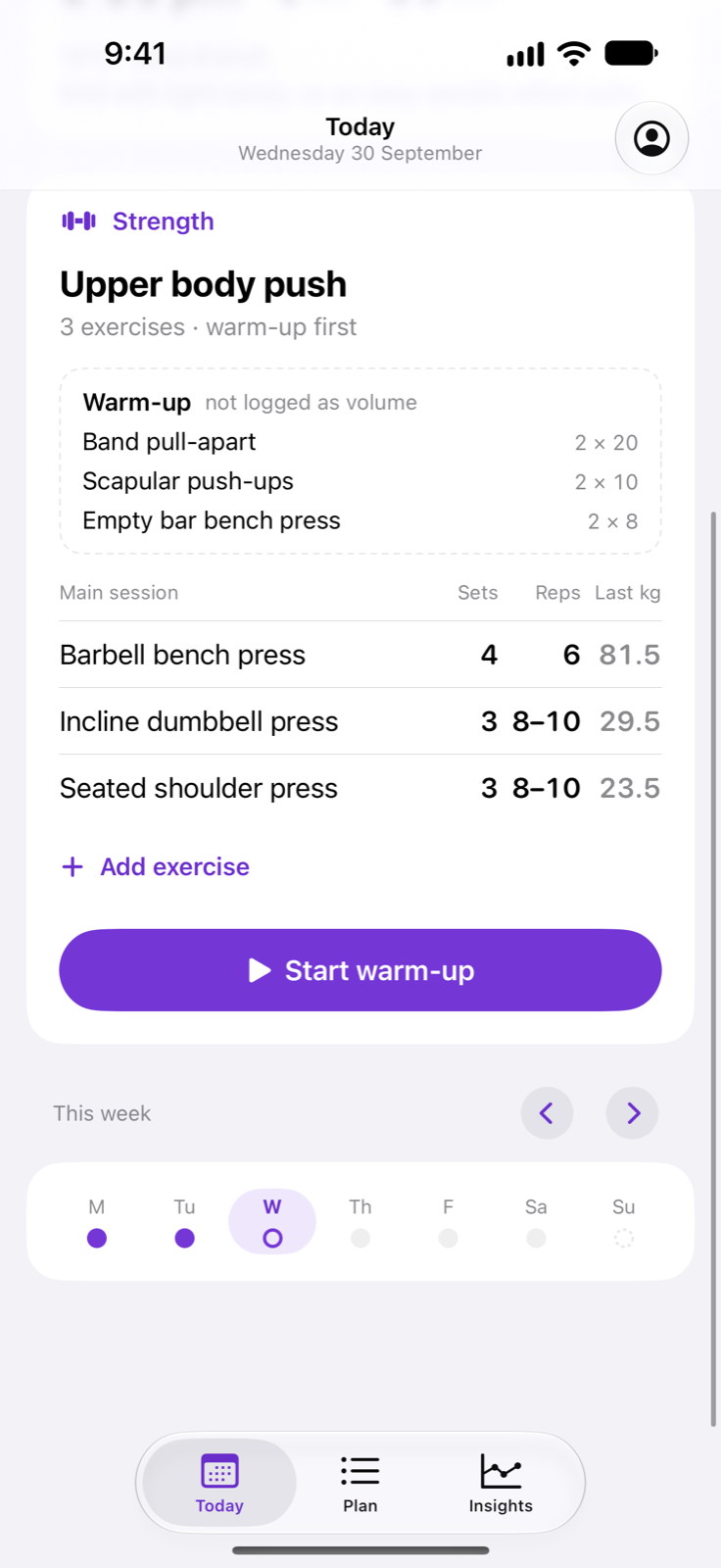
Today
Today, at a glance.
See today's run or strength session, the best time slot for it and how the week is shaping up. Step to the next or previous day, or browse the whole week in the Plan tab.
- A run, a gym session or a rest day
- The best time slot for today's run
- The whole week in the Plan tab
Log
Log sets as you lift.
Work through your warm-up and main session one exercise at a time. Tick a set when it is done, and adjust the weight or reps only where you differed from the plan. Rate how hard a session felt, and add an exercise from the exercise bank when you want one more.
- Tick a set, change only what differed
- Rate how hard the session felt
- Add an exercise from the exercise bank
Rest timer
A rest timer that stays out of the way.
Ticking a set starts the rest timer. Set a default rest, or a different rest for each exercise. Follow the countdown on the Lock Screen and in the Dynamic Island, and get a haptic when it is time to go again.
- Starts when you tick a set
- A default rest, or one for each exercise
- Lock Screen, Dynamic Island and haptics
Summary and insights
See how it went, and how you are trending.
Finish a session and see how it went against the plan, including how many exercises you completed as planned and which ones you changed or skipped. Insights shows recent sessions, weekly totals and a per-exercise history of your weights and reps. Tap a muscle on the body diagram to see the exercises that train it.
- A summary against the plan after every session
- Weekly totals and per-exercise history
- A body diagram that opens the exercises for each muscle
Watch, widgets and Siri
Follow the day from your wrist.
A widget shows tomorrow's run distance and the best time slot, right on your Home Screen or Lock Screen. Say "Start my training in Training" to begin with Siri. With Apple Health switched on, starting a session records a Traditional Strength Training workout, so it counts towards your activity in Fitness. Health access is optional and can be changed at any time in Settings.
- Apple Watch, widgets and Siri
- Optional Apple Health workouts
- On supported iPhones, an on-device coach using Apple Intelligence, which you can turn off
Built the beep way
Calm, and honest about where your data goes.
On supported iPhones, ask about your training and get a short summary of each session using Apple Intelligence. It runs on your iPhone, so nothing leaves the device, and you can turn it off in Settings.
Your plan and logged sessions are stored on a beep server in Sydney, tied to the profile chosen in Settings rather than a sign-in. Heart rate and energy from Apple Health stay on your device.
No ads, no analytics SDKs, no selling your training.
Training by beep shows the plan you are given and logs your sessions against it. It is not medical advice.